



Cricut Joy Review: Enjoy Endless Crafting Possibilities with this Compact Smart Cutting Machine


Starting any new hobby can be daunting, especially when it’s something out of your comfort zone. So, when the Cricut Joy first arrived on my desk I took a good week to unbox it. I felt like I needed to set aside a chunk of time to get to grips with this new piece of tech, learning the ins and outs of how it operates, downloading the necessary software, and then learning to use said software. Turns out, all that anxiety was for nothing, because the Cricut Joy couldn’t be easier to use. Getting this little cutting machine going and completing my first project took me all of 30 minutes.
A few years ago Cricut ignited the crafting scene with the launch of the original Cricut crafting machine. But, while the original Cricut was designed with more serious crafters in mind, the Cricut Joy aims to make things a little more approachable. Firstly, it’s beyond cute – with its chubbier, pint-sized silhouette and fun blue and white colourway, it lives up to its namesake.
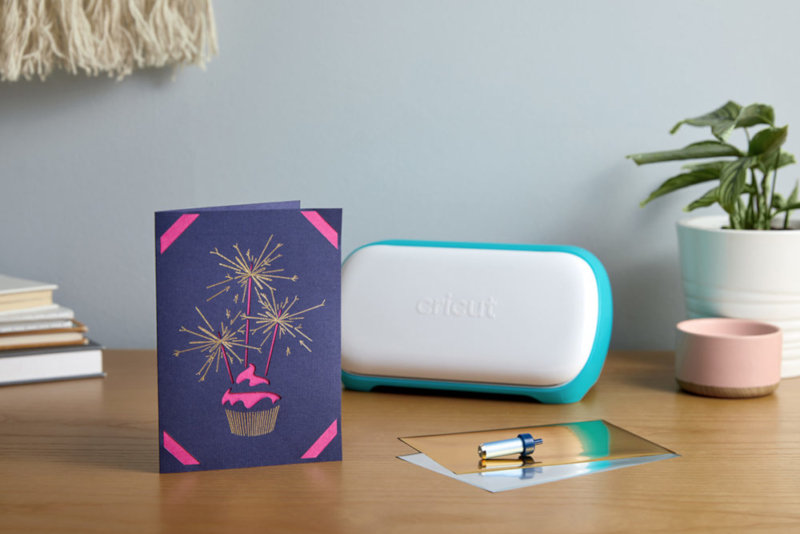
Measuring merely 12 x 20cm and weighing less than 1.75 kilograms, the Joy is 75 percent smaller and lighter than its older sibling. Cricut Joy can be plopped down just about anywhere and crafting can begin. The price is smaller, too. You can pick one up for R2,999, (50% less than the next cheapest Cricut cutting machine).
This approachable design and small size points to the Cricut Joy as being for a different kind of Cricut customer. Designed to be the opposite of intimidating, the Cicut Joy is for crafting dabblers. It’s for people who want to get into crafting but don’t want to invest the time and effort into making Cricut crafting a full-fledged take-over-your-office hobby. With it, you can easily make all sorts of things, from professional-looking greeting cards to T-shirts, and personalised mugs.
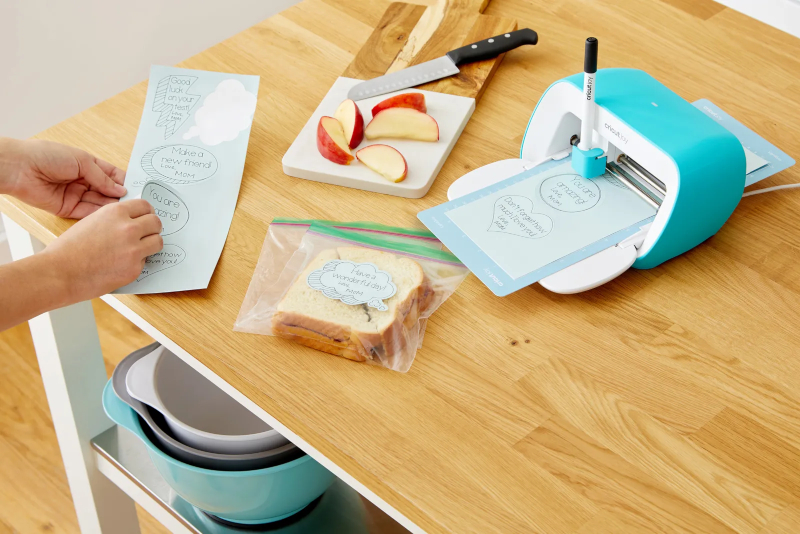
I’ve been using it for the past few weeks, and it’s sparked a real love of crafting in me that I never knew existed. Every time I use it, I’m astonished at how easy it is. The Cricut Joy is like a little robot pal, and while it won’t hold your hand or complete your projects for you, it makes the crafting journey infinitely easier… And more fun.
For ages, I’ve been watching the Cricut craze from the sidelines. Deep down I’ve always longed to be a Cricut girly but getting into the world of crafting with a Cricut seemed so daunting and lord knows I didn’t have the space to dedicate to an original Cricut machine and all the crafting doo dads that go along with it. But, with the Cricut Joy, I can craft whenever the mood strikes without getting too caught up in all the highly technical stuff that comes with bigger and more intricate projects.
A Whole New World with Cricut Joy
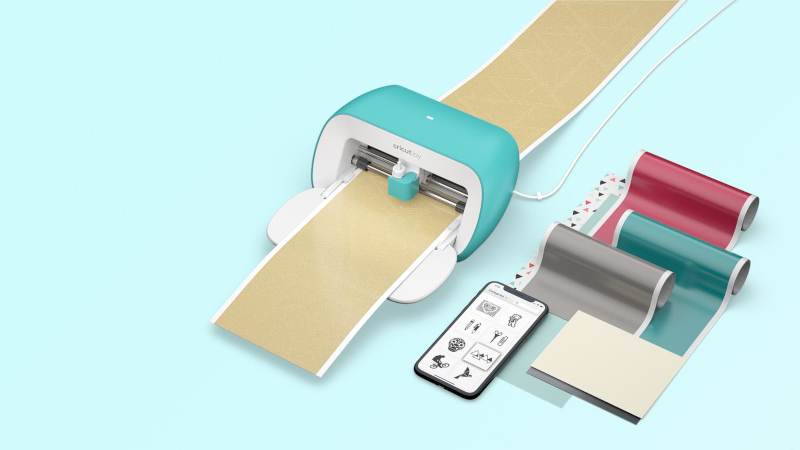
The Cricut Joy is limited to cutting and drawing. That might sound basic for seasoned Cricut crafters — but it’s plenty for newcomers and it’s simplicity is its greatest strength. There are also only a few components on the device you need to interact with. There’s a lid that flips down to close the machine; a clamp that swivels open and closed; and the tool housing, where you’ll drop in pens or blades (one of each comes included).

The machine can cut more than 50 materials, – including iron film, card paper, vinyl, paper and Smart Materials — and handle super-light, super-long cuts without a cutting mat required when using larger Cricut machines. The machine can draw every shape and write in a variety of styles. It can cut individual shapes up to 1.2 m long and make repeated cuts up to 6m long.
To get started on your first project you’ll connect the machine via Bluetooth to Cricut’s Design Space software. Design space can be used on PC, Mac, iOS, and Android devices. I’ve been using the software on my Android smartphone and it couldn’t be easier, in fact I don’t see the need to go the extra step of connecting to a computer when it’s so easy to link your phone with the app and the machine.
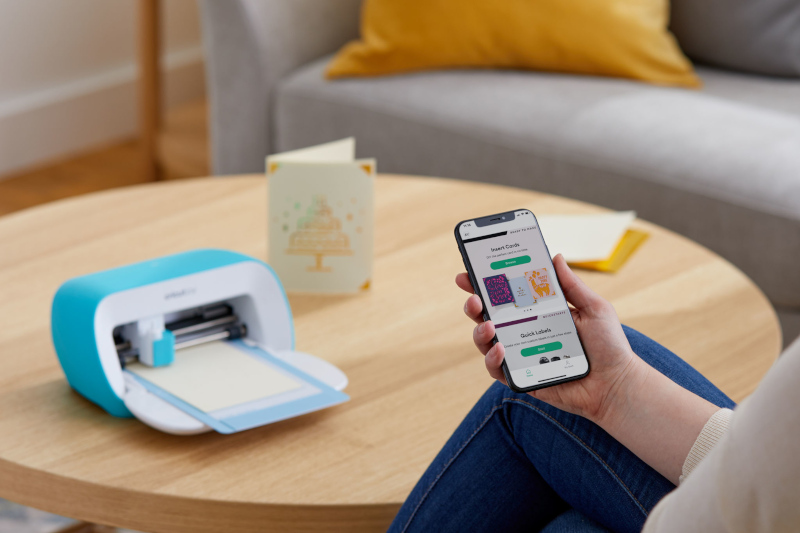
Design Space is similar to Adobe Photoshop and enables you to get as technical as you’d prefer. When creating your design, you can work in layers and manipulate images, text, and shapes into what will eventually be your final project. There’s a little bit of a learning curve with getting to grips with the software but simple designs, like making a greeting card or cutting a T-shirt transfer are really easy to pull off, especially if you pull from the wealth of ready-to-cut projects already available to use on Design Space.
Design Space is free; you can upload your own images or choose from a variety of premade shapes, graphics, and designs to create your own projects. But the possibilities really open up with a Cricut Access account. It offers a much larger catalogue of designs, though it costs R99.99 per month (or R83 per month if you go with the annual plan). I’d recommend starting with the free trial version, and if you find you can’t stop crafting, then go for the subscription.
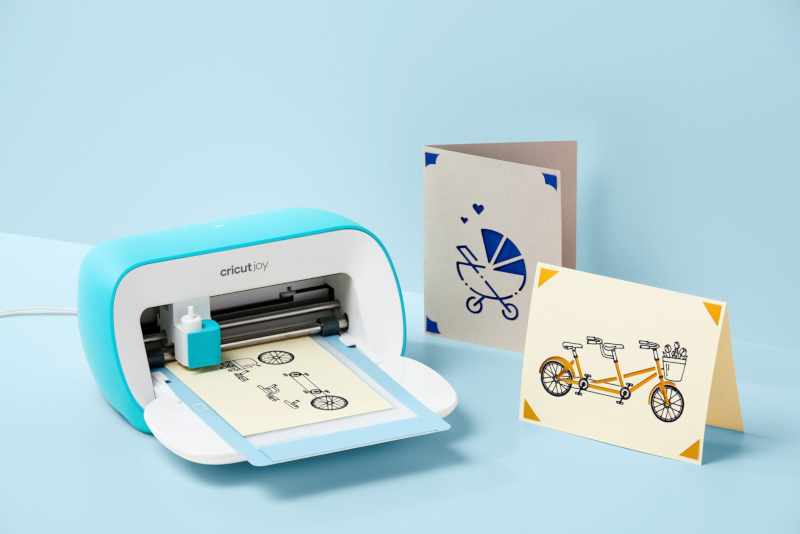


My first project was an Insert Card, which uses the machine’s cutting tool to create a design on pre-folded card stock. I gathered all the materials I needed, followed the instructions on the software, and watched the Joy come to life. In minutes I had a pretty decent-looking card that I would be proud to gift to someone special. I was giddy with the results and quickly looked for more projects to complete.
Cut to a few weeks later and I’m a woman obsessed. I’ve completed countless projects since that first greeting card, each more intricate than the last. I’ve used Cricut’s Smart Vinyl to create the Gilmore Girls coffee mug of my dreams and beautiful sticker labels for clear storage bins. I’ve used Cricut Smart Iron-On to make more T-shirts and tank tops than I care to admit. And, I’ve cut enough greeting cards to last a year.
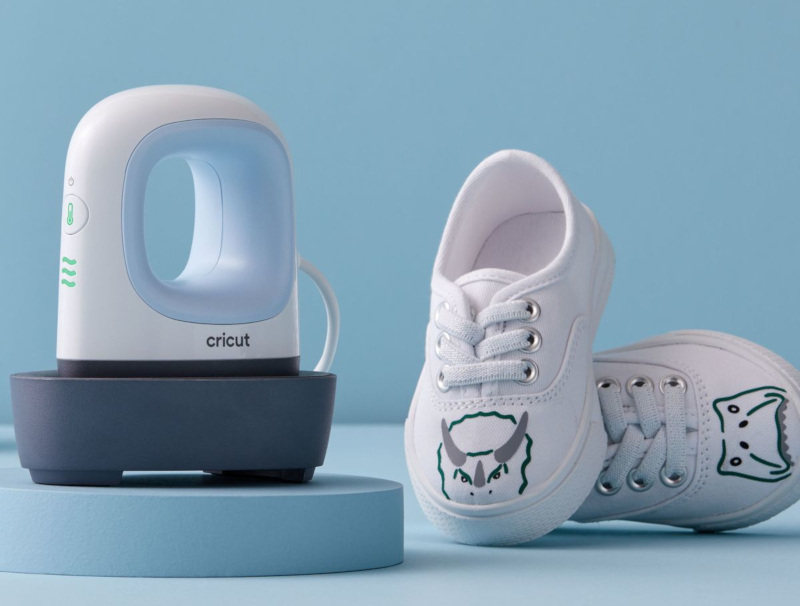
Making T-shirts is by far my favourite Cricut project to do, and things are made even easier with the Cricut EasyPress Mini, the perfect tool for heat-transfer projects. Three heat settings are all you need for every heat transfer project, including Infusible Ink projects. Plus it’s lightweight, portable, and easy to store.
Is the Cricut Joy for you?
I’m a dabbler, the intended demographic for Cricut Joy, so this machine is ideal for me. If you’re interested in getting into Cricut crafting but don’t want it to become your entire personality, then this is the machine for you. If you’re craving creativity or are looking for a new hobby you can do at home, but don’t know where to start, the Cricut Joy is the perfect Cricut gateway drug. The machine’s size is another real feather in its cap. It’s super compact and doesn’t take up much room at all. Mine sits in a drawer of my desk in my office (along with all my other Cricut crafting goodies) and I don’t even know it’s there. When I need it I simply get it out, set it up on my desk and get crafting.
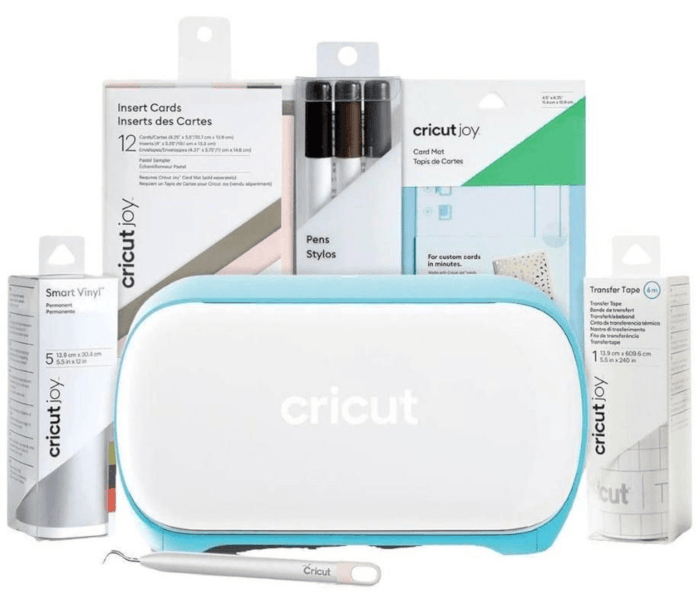
Of course, creating all these masterpieces does require you to invest in a few extra materials to get the job done, but you can’t put a price on the joy you’ll feel looking at your completed projects or when a friend asks, impressed; “You made that?” when you hand them a hand-made card or gift.
If you want to be sure you’re all set up for your first few projects then I would highly recommend opting for the Cricut Joy Starter Bundle. For about R1,000 more you’ll get everything you need for a few hours of crafting. The bundle includes Cricut Joy De-lattice hooks, Cutting Mat, Insert Card sampler pack, Smart Vinyl Sampler, Transfer Tape, and Fine Tip Pens.
For more information on the Cricut Joy click here.